WhatsApp Call vs WhatsApp Business Calling API: Key Differences Explained
If you’re running a company or managing a team, your phone is likely blowing up on WhatsApp all day. But there’s a common mistake many bosses make: they treat WhatsApp Business like it’s just a “personal account with a briefcase icon.”
While the actual “ring-ring” sounds the same, there are some massive shifts in how calls work once you move over to the business side. Here is the “no-fluff” breakdown of why it matters for your workflow.
Common WhatsApp Calls
These are the ones you already know: quick, manual calls straight from the app on your phone. Your team dials customers one by one, like following up on a quote. Super simple, no setup needed, but it falls apart when things get busy—no tracking, no scaling, just relies on who’s picking up the phone.
WhatsApp Business Calling API
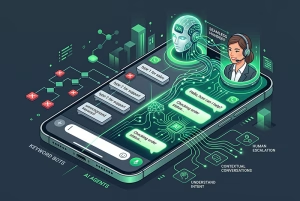
This one’s designed for businesses juggling tons of customer chats. It hooks into your CRM or chatbot to kick off calls automatically, all managed from one dashboard. Picture a lead form submission triggering a call that your sales team jumps on right away—scalable, trackable, with analytics to boot.
WhatsApp Business Call Comparison
Feature
Common WhatsApp Call
WhatsApp Business Calling API
Usage
Personal / small team
Business / large team
Call Trigger
Manual
Automated / system-triggered
Scalability
Low
High
Team Management
No
Yes
CRM Integration
No
Yes
Reporting & Analytics
No
Yes
Efficiency
Depends on staff
Optimized with automation
1. Professionalism (Even Before You Say “Hello”)
When you call a client from a personal account, you’re just a random string of digits or a selfie.
With WhatsApp Business, you control the narrative. Even if the client hasn’t saved your number, your registered business name can appear. It immediately signals that this is a professional consultation, not a casual check-in. Plus, while they’re on the call screen, they can see your store hours and website right there—it’s like a digital business card that stays on their screen.
2. Setting Boundaries with “Office Hours”
As a manager, the “always-on” culture is a fast track to burnout.
Common WhatsApp: If a client calls at 11 PM on a Saturday, your phone vibrates, and the silence afterwards is awkward.
WhatsApp Business: You can toggle your status. If they call or message after hours, they get an immediate, polite automated response: “Hey, we’re closed right now, but we’ll get back to you at 9 AM.” It manages their expectations so you don’t have to.
3. The “Landline” Trick
This is the best-kept secret for business owners. You don’t have to give out your private mobile number anymore. You can actually set up WhatsApp Business using your office landline.
This means your team can handle “WhatsApp calls” from a computer or a shared office phone, keeping your personal life completely separate from the company line.
4. Staying Organized (Labels)
We’ve all been there: looking at a call log and wondering, “Who was this again?” In the Business version, you can Label your contacts. You can tag someone as “New Lead,” “VIP,” or “Invoice Pending.” When you see a call coming in from a “VIP” label, you know exactly how much energy to bring to that conversation before you even pick up.
Conclusion
Common WhatsApp calls are great to get started.
But if you want to scale, automate, and manage your customer communication professionally, the WhatsApp Business Calling API is the next step.
It’s not just about making calls—it’s about building a system that drives revenue and efficiency. 👉 Talk to us to understand how it works.
This site uses cookies and related technologies, as described in our privacy policy. We use cookies and other similar technologies (e.g. web beacons, Flash cookies, etc.) (“Cookies“) to enhance your experience using the Services.